Back in 2008 I would spend some of my Saturday afternoons sitting in a Laundromat, waiting for my clothes to smell good. I quickly realized these moments were perfect to bring my laptop with me and code. One of the first AIR apps I wrote was Shrink O’Matic, now you know where the name comes from.
It quickly became successful. It now has been downloaded 168,000+ times, a best-seller of sorts. Except it’s free.
But with success comes feedback, and with feedback comes feature suggestions. Most of them were included through updates, some of them didn’t make the cut. Probably because of me being lazy or because of AIR’s limitations.
Then AIR 2 came out, then I learnt Robotlegs… So I re-wrote it from scratch! Introducing Shrink O’Matic 2, the same quick and simple app but with more features and a nicer theme.
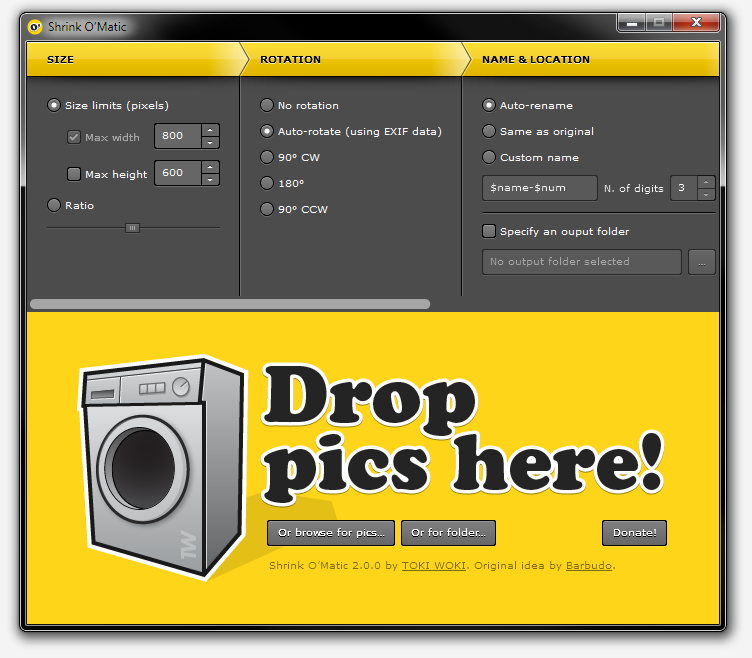
Here’s what’s fresh off the oven:
- Drop folders onto the app: every image in it (or in its sub-folders) will be shrinked.
- New “Rotation” settings pane: either use a specific angle or let the app read your images’ EXIF data and decide what to do.
- Custom name option: choose exactly what the output name will be using your own pattern and injecting the original file’s name (using $name) and/or its position in the queue (using $num).
- PNG files now keep their transparency when shrinked.
- Watermark: watermark your images, even choose where to place the overlay.
- Drop files onto the app while it’s processing, no problemo!
- No more dimension limits.
- Shiny new theme!
But! I decided some features had to go. I removed the “name preview” that used to be in the status bar. I also removed the ability to drop images from web pages. If you need these features and want them back, make sure to drop a comment and let me know!
That’s it, go get it!