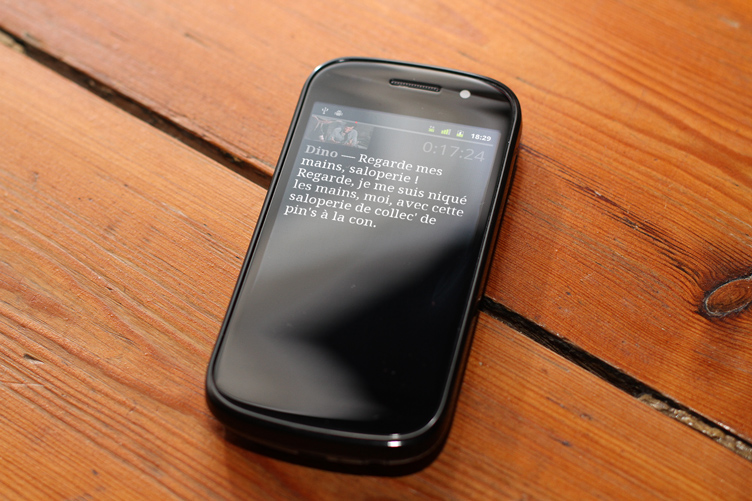
Remember Kwot, my Flash quote viewer? I published it back in December 2008.
It is a mix of Flash (most part of it), JS (for the add form and its communication with the main UI) and PHP (CRUD logic). Read the blog post for more details on it.
I recently started looking at JavaScript frameworks and tools, probably like most Flash developers. Not because Flash is dead, but because the more tools you master, the better you are. And because yes, everyone is asking for JS and CSS3 these days. After some investigation I decided to give Backbone.js a try. And re-writing Kwot from scratch with it seemed like a great exercising opportunity.
So here its: Kwot JS!
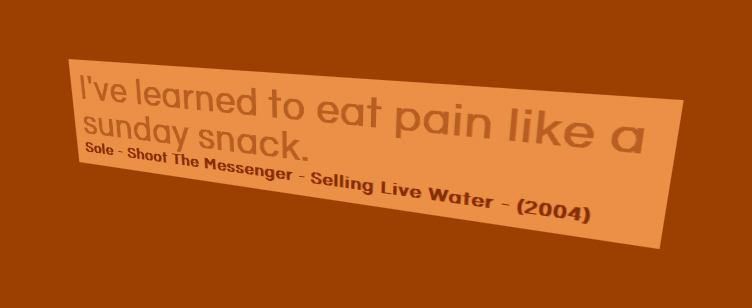
It should work really well on Safari, OK on Chrome, not-that-perfect on Firefox and poorly on Internet Explorer. You were looking for a reason to continue using Flash for building “experience sites”? There you have it: compatibility. Kwot JS relies on CSS3 transforms to allow this perspective view on quotes, and on property transitions to animate the quotes’ colors. Of course this doesn’t work in all browsers!
Now, about Backbone.js. The framework’s requirements and logic are good, but coming from an AS3 world mostly everything looks odd, for better or worse. Note this is my first project with it and I might have missed some good practices or handy tips.
The good thing is its persistence layer. In Kwot, quotes are stored in a database, I simply wrote a simple RESTful API with Slim (try this PHP framework: win) and connected it to my Model classes. That’s it, it just works. Underscore.js’ templating system is handsome, too. Never used that before, cool stuff.
The bad things are, as far as I’m concerned:
- No strong typing. Of course this isn’t Backbone’s problem, but rather JS’ one. On this particular point your IDE can help, but you won’t get runtime errors.
- The “this” keyword. You always end up with plenty of lines all starting with a “this.something”. It frustrates me.
- Scope issues: when listening to events you pretty much always have to use Underscore.js’ bind method in order not to lose your infamous “this” scope. I don’t like that.
- The MVC pattern. If you ask me: it sucks. I’m no integrist but I wouldn’t have called what Backbone provides MVC. I was always wondering “who should do that?” and never really came up with a satisfying answer.
Overall the learning curve is pretty steep, I think it took me less time to write this version than the Flash one, but I’m a 3 year more mature developer. Also, when I wrote the Flash version I didn’t really know where I was going and I kept experiencing with concepts and ideas to see what would look best.
On a side note the Flash version uses Neutra, whereas this one uses Questrial (hosted and served by Google Webfonts).
Tell me what you think, both about the app and the framework!