Generating a Windows installer for your AIR captive runtime application

I recently wrote a pretty big tuto­r­ial about Adobe AIR, its cap­tive run­time mode, and how to gen­er­ate a Win­dows installer on top of that. It was writ­ten in French and pub­lished on flex-tutorial.fr.

I then con­tacted the fine folks at Adobe Devel­oper Con­nec­tion and offered to trans­late it to Eng­lish. They accepted, reviewed it, and boom: pub­lished it.

Wether you’re a French or Eng­lish reader, I got you cov­ered. Tell me what you think.

Shrink O’Matic 2

Back in 2008 I would spend some of my Sat­ur­day after­noons sit­ting in a Laun­dro­mat, wait­ing for my clothes to smell good. I quickly real­ized these moments were per­fect to bring my lap­top with me and code. One of the first AIR apps I wrote was Shrink O’Matic, now you know where the name comes from.

It quickly became suc­cess­ful. It now has been down­loaded 168,000+ times, a best-seller of sorts. Except it’s free.

But with suc­cess comes feed­back, and with feed­back comes fea­ture sug­ges­tions. Most of them were included through updates, some of them didn’t make the cut. Prob­a­bly because of me being lazy or because of AIR’s limitations.

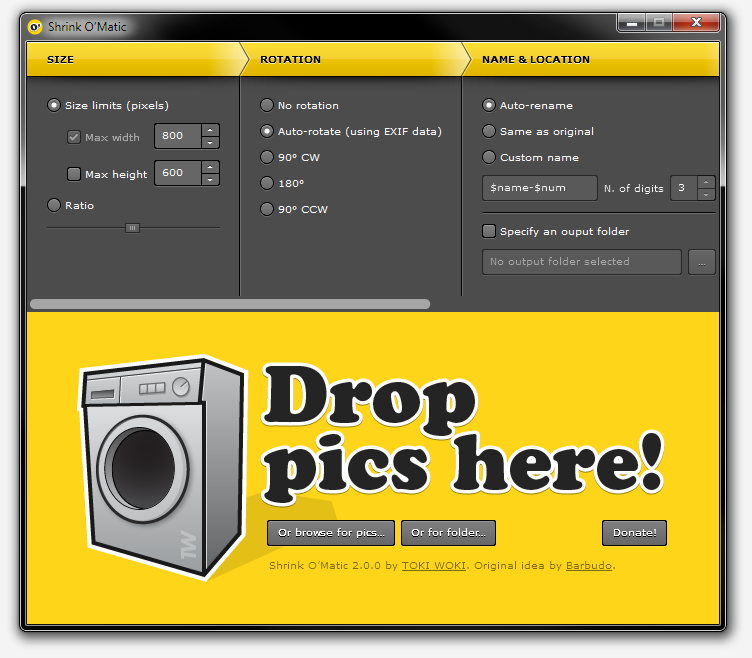
Then AIR 2 came out, then I learnt Robot­legs… So I re-wrote it from scratch! Intro­duc­ing Shrink O’Matic 2, the same quick and sim­ple app but with more fea­tures and a nicer theme.

Here’s what’s fresh off the oven:

  • Drop fold­ers onto the app: every image in it (or in its sub-folders) will be shrinked.
  • New “Rota­tion” set­tings pane: either use a spe­cific angle or let the app read your images’ EXIF data and decide what to do.
  • Cus­tom name option: choose exactly what the out­put name will be using your own pat­tern and inject­ing the orig­i­nal file’s name (using $name) and/or its posi­tion in the queue (using $num).
  • PNG files now keep their trans­parency when shrinked.
  • Water­mark: water­mark your images, even choose where to place the overlay.
  • Drop files onto the app while it’s pro­cess­ing, no problemo!
  • No more dimen­sion limits.
  • Shiny new theme!

But! I decided some fea­tures had to go. I removed the “name pre­view” that used to be in the sta­tus bar. I also removed the abil­ity to drop images from web pages. If you need these fea­tures and want them back, make sure to drop a com­ment and let me know!

That’s it, go get it!

MSK view, for iOS and Android

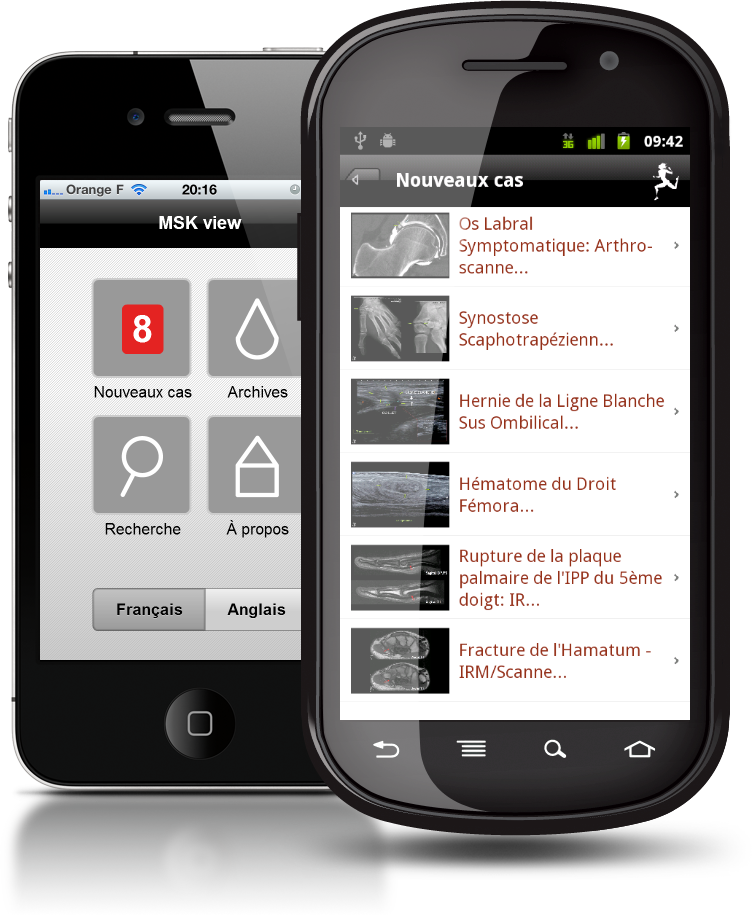
I’ve been work­ing on an app for a French sport hos­pi­tal, designed to browse its msk image library. It’s called “MSK view” and it is avail­able for free in iTunes (iPhone and iPad ver­sion) and in the Android Mar­ket.

Pretty tech­ni­cal stuff in it, not sure every­one will want to install it but hey, there may be some doc­tors out there!

The hos­pi­tal is French but the app is both in French and Eng­lish. Built in Flash Builder with Flex Mobile, Robot­legs and AMFPHP, UI design by Jumo.

Now go show off brows­ing images of “Scapho­trapezial Syn­os­to­sis” or “Rec­tus Femoris intra­mus­cu­lar Haematoma”, what­ever it may be!

Boks is now OpenSource

Boks is one of my most suc­cess­ful apps and this is prob­a­bly not only because of its use­ful­ness, but also because it is free, too. I released it more than 2 years ago and it is still heav­ily downloaded.

The CSS com­mu­nity is really active and fast-moving. When I wrote Boks, Blue­print CSS was one of the most watched and forked project on GitHub which is mostly why I chose to base my UI and logic on it (it still is at the top, by the way). But with today’s CSS3 hype and because of the ever-growing list of CSS frame­works (not going to list them here) I started receiv­ing lots of fea­ture requests.

At first I thought I could wait and han­dle them later, but I quickly real­ized it would need a lot of time, and I defin­i­tively didn’t have it in my hands (or at least not for this project). The idea to Open­Source it seemed obvi­ous and I’ve been slow doing so, but here it is. If anyone’s will­ing to take a look at what I wrote and fix or improve it, do it! Don’t for­get that this has been writ­ten a while back and I wouldn’t re-write it this way (think Robot­legs); I know the code will look crappy to some but hey, we all learn and evolve, right?

I’ve licensed Boks’ source under GNU GPL v3 in order for it to remain Open­Source, but if you have other sug­ges­tions, just tell me.

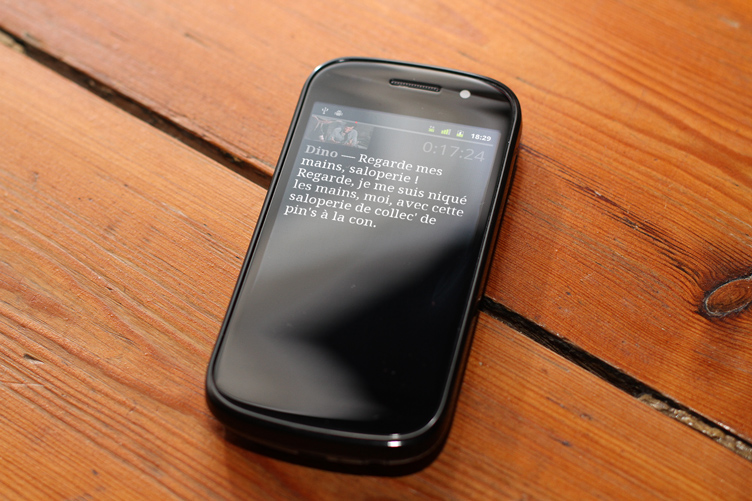
La Classe Américaine – Android

Hey, fel­low english-reading vis­i­tor, this post is going to be in French! Hope you don’t mind.

Si comme moi vous ne pou­vez pas vous empêcher de dire “flim”, “ouiche” ou encore “un pour l’argent, deux pour le spec­ta­cle et trois pour le cail­lou”, cette appli­ca­tion est pour vous.

Après une semaine de vacances avec une per­sonne touchée par cette mal­adie et sans avoir accès à Inter­net j’ai vite réal­isé qu’il me fal­lait une appli­ca­tion con­tenant tout le script de ce mag­nifique flim : La Classe Améri­caine. Je savais qu’un fou avait déjà fait tout le sale boulot et qu’il ne me restait plus qu’à extraire ces don­nées et créer l’interface pour les parcourir…

Grâce à Google Chrome et ses Out­ils de développe­ment j’ai pu injecter MooTools dans la page. Petite astuce très sim­ple et très pra­tique (script à copier/coller dans la console) :

var scriptNode = document.createElement('SCRIPT');
scriptNode.type = 'text/javascript';
scriptNode.src = 'https://ajax.googleapis.com/ajax/libs/mootools/1.3.2/mootools-yui-compressed.js';
var headNode = document.getElementsByTagName('HEAD');
if (headNode[0] != null) headNode[0].appendChild(scriptNode);

Après ça, quelques lignes pour extraire les don­nées, les net­toyer et les stocker directe­ment dans le presse-papier au for­mat JSON :

var data=[];
var images=$$('table.script img');
for (var i=0; i<images.length; i++) {
    var tr=images[i].getParent().getParent();
    var o={};
    var scriptTag=tr.getElements('td')[2];
    scriptTag.getElements('a').dispose();
    data.push({
        ts:tr.getElement('small').get('text'),
        script:scriptTag.get('html')
			.split('’').join("'")
			.replace(/\n/, '')
			.replace(/<br>\n$/, '')
    });
}
console.log(data.length);
copy(JSON.encode(data));

Un petit coup de Flash Builder, saupoudré de Robot­legs et hop, une appli Android ! Pas de ver­sion iPhone pour l’instant, mais si quelqu’on m’offre de quoi me payer un cer­ti­fi­cat de développeur, je ne dis pas non !

Au revoir, Messieurs-Dames. C’est ça, la puis­sance intel­lectuelle. Bac + 2, les enfants.

Shrink O’Mobile

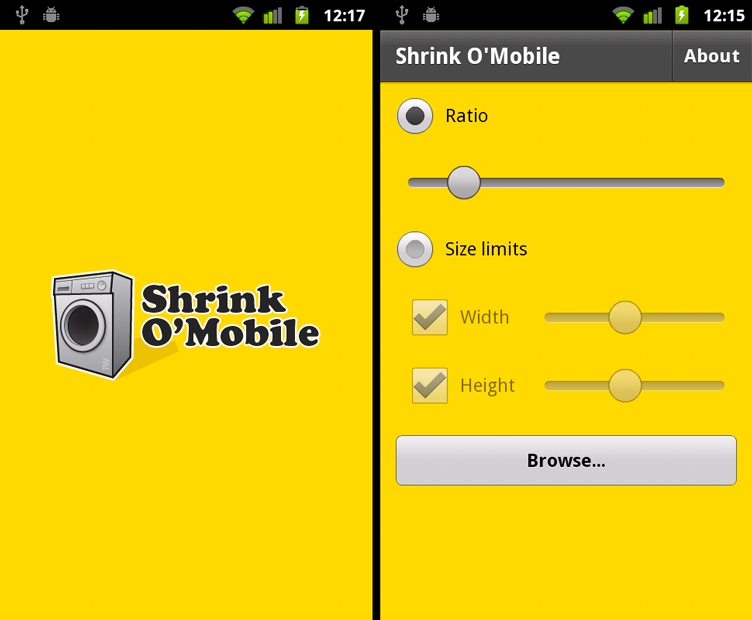
Remem­ber Shrink O’Matic, the “oh, so easy to use” image shrinker for Win­dows, Mac and Linux? Intro­duc­ing Shrink O’Mobile, the “oh, so easy to use” image shrinker for Android!

Because cam­eras on phones take big pic­tures and because you might want to send smaller/lighter versions, Shrink O’Mobile is here to help out. Just launch the app, choose the way you want your image to be shrunk, pick your image and BOOM! Your fresh, smaller, new ver­sion is instantly stored in your cam­era roll. Easy as pie.

And did I men­tion the app is free? It is.

Tell me the mobile app I should write!

I you feel like it, fill this form and help me decide what mobile app I should write!
UPDATE: Sur­vey is over.

iframe: <a href="https://spreadsheets.google.com/embeddedform?formkey=dDg5aTVTLUJyd3B4bXppV1lGcWI2ekE6MQ">https://spreadsheets.google.com/embeddedform?formkey=dDg5aTVTLUJyd3B4bXppV1lGcWI2ekE6MQ</a>

Five years of Google Talk history

My “anniver­sary” intro

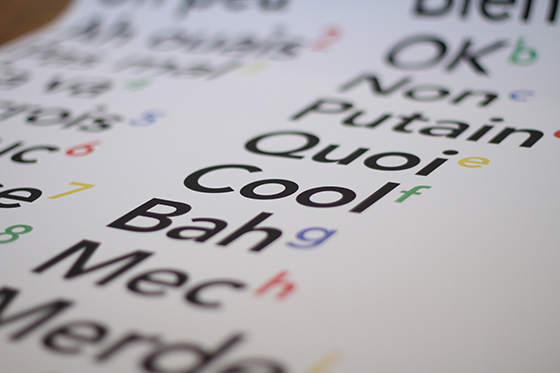
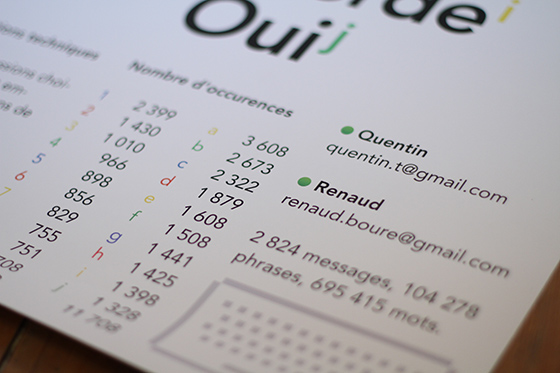
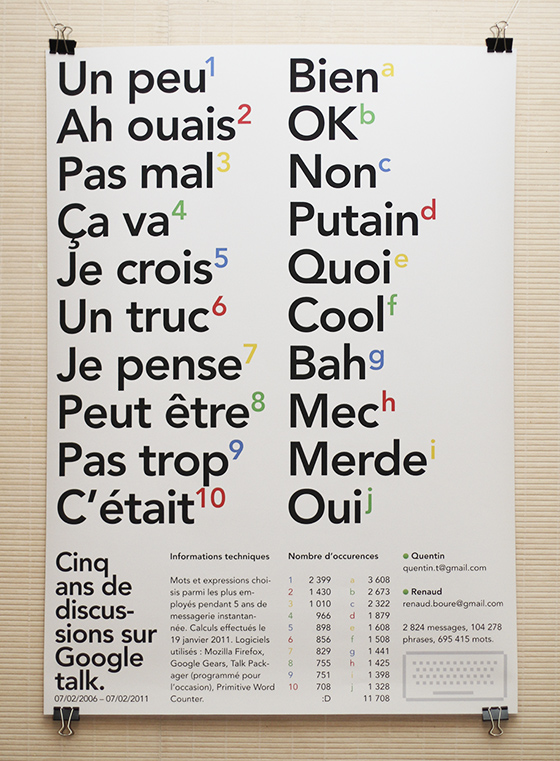
It’s been five years (this mon­day) since Google added the abil­ity to sim­ply chat inside Gmail and to store your chat his­tory, just like your reg­u­lar e-mail dis­cus­sions. This poster is a cel­e­bra­tion of that, plus a big high-five to my “chat pal” (who hope­fully received my pack­age on time), plus a tech­ni­cal and aes­thet­i­cal look at what we wrote dur­ing these years.

Let’s make history

Back to the chat his­tory thing… I remem­ber being pretty happy when Google announced it, mainly because I knew I’d use it for later ref­er­ence, archiv­ing links and thoughts had become much easier.

Here’s a copy of the announce­ment they made:

Chat with your friends from right inside Gmail. There’s no need to load a sep­a­rate pro­gram or look up new addresses. It’s just one click to chat with the peo­ple you already email, as well as any­one on the Google Talk net­work. And now you can even save and search for chats in your Gmail account.

So it’s been five years. And I’ve chat­ted quite a lot; mainly with one guy, my buddy Renaud. We chat­ted around 2,800 dif­fer­ent dis­cus­sions so I thought there might be some inter­est­ing data to dig in these archives… So I dug.

But dig­ging thou­sands of dis­cus­sions is not an easy task, so I had to take a look on the tech side of things.

Join the tech side of the force

Before dig­ging, I had to retrieve all the dis­cus­sions we had, in an easy-to-analyse for­mat. I used Gmail’s offline fea­ture: apply­ing a new label to our con­ver­sa­tions and locally sync­ing this label. For some unknown rea­son it would crash on Google Chrome so I had to use Mozilla Fire­fox. When sync­ing was done I got a pretty big file in my “Google Gears for Fire­fox” direc­tory.

Cool thing is, Google Gears stores data as SQLite data­bases, so I fired up Lita in order to under­stand what the struc­ture was like… Things looked a bit messy but I even­tu­ally found every­thing that would inter­est me; and it was in the “MessagesFT_content” table. Here’s the query I ran:

SELECT c1Body FROM MessagesFT_content WHERE c0Subject LIKE '%Chat%'

Almost cool. The query still returned a bunch of HTML code, our names, and other use­less crap. So I fired up Flash Builder, imported the SQLite file and wrote a few AS3 lines, in order to grab the results and fil­ter them with reg­u­lar expres­sions. Bang: plain text! Oh, this use­less AIR app is Open­Source, by the way.

Now that the data was clean and ready to be ana­lyzed I had to find a cheap or free way to do it. I chose Prim­i­tive Word Counter, not because it’s per­fect but rather because it’s very sim­ple and could han­dle the large amount of data I was going to feed it (some other apps sim­ply crashed)…

Run­ning it gave me the most used words and phrases, I only picked the most inter­est­ing (at least to me) and launched InDesign.

A cel­e­bra­tion poster

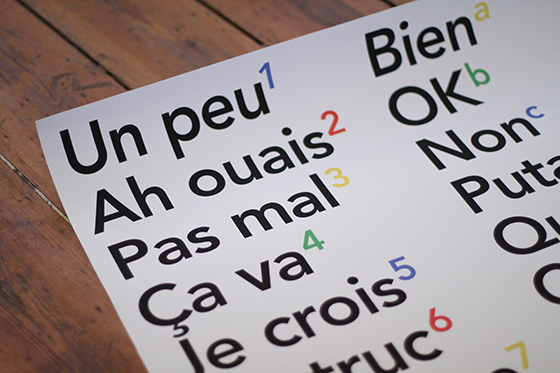
I decided to go for an A1 poster, mostly focused on those words and phrases but with a tech twist to it. I kept it all secret, got it printed, and sent it to my pal… Happy fifth Google-talk-history-enabled anniver­sary to him; and to all of you out there that use it on a daily basis!
AIR Application Updater: switch to the 2.5 namespace

I just wasted a few hours on under­stand­ing how to update an AIR app from the 2.0 name­space (or ear­lier) to the brand new 2.5 one. As you may know, two new tags have been intro­duced (“ver­sion­Num­ber” and “ver­sion­La­bel”) to replace the old “ver­sion” one.

To avoid break­ing things you have to cre­ate an inter­me­di­ary app ver­sion that will smoothly switch from 2.0 to 2.5, here’s what you can read on the release notes page:

In order to be able to update from ver­sion 1 to ver­sion 2, an inter­me­di­ary update step must be added as fol­lows: appli­ca­tion ver­sion 1, pack­aged with AIR 2 and using the 2.0 name­space gets updated to: appli­ca­tion ver­sion 1.5, pack­aged with AIR 2.5 and using the 2.0 name­space. This ver­sion of the appli­ca­tion must include the ver­sion of the Appli­ca­tion Updater SWC/SWF included with the AIR 2.5 SDK. This gets updated to: appli­ca­tion ver­sion 2.0, pack­aged with AIR 2.5 and using the 2.5 namespace.

Where “appli­ca­tion 1.5″ is the intermediary step.

All of this looks quite sim­ple but really it isn’t; or at least it wasn’t for me. To be really explicit here are my 3 appli­ca­tion descrip­tors and the update descrip­tor (ver­sion num­bers changed to match Adobe’s example).

Appli­ca­tion descrip­tor – Ver­sion 1 (pack­aged with AIR 2.0):

<?xml version="1.0" encoding="utf-8" standalone="no" ?>
<application xmlns="http://ns.adobe.com/air/application/2.0">
	(...)<version>1</version>(...)
</application>

Appli­ca­tion descrip­tor – Ver­sion 1.5 (pack­aged with AIR 2.5):

<?xml version="1.0" encoding="utf-8" standalone="no" ?>
<application xmlns="http://ns.adobe.com/air/application/2.0">
	(...)<version>1.5</version>(...)
</application>

Appli­ca­tion descrip­tor – Ver­sion 2 (pack­aged with AIR 2.5):

<?xml version="1.0" encoding="utf-8" standalone="no" ?>
<update xmlns="http://ns.adobe.com/air/framework/update/description/2.5">
	(...)<versionNumber>2</versionNumber>(...)
</update>

Update descrip­tor (PHP script receiv­ing the caller’s cur­rent ver­sion as “cur­rentVer­sion” GET variable):

<?php
header("Content-Type: text/xml; charset=utf-8");
echo '<?xml version="1.0" encoding="utf-8"?>';
$currentVersion=array_key_exists('currentVersion', $_GET) ? (float)$_GET['currentVersion'] : 1;
$isNewNamespace=$currentVersion>=2;
$ns='http://ns.adobe.com/air/framework/update/description/'.($isNewNamespace ? '2.5' : '1.0');
$version=$currentVersion>=1.5 ? 2 : 1.5;
$versionTag=$isNewNamespace ? 'versionNumber' : 'version';
?>
<update xmlns="<?php echo $ns ?>">
	<<?php echo $versionTag ?>><?php echo $version ?></<?php echo $versionTag ?>>
	<url>http://www.your-site.com/update/your-app-<?php echo $version ?>.air</url>
</update>

Not that sim­ple, right? And this is not only annoy­ing to the devel­oper, but also to the end user. He will be noti­fied of an update from ver­sion 1 to 1.5 and when he’s done he’ll get prompted about the new-new ver­sion (2): bang, another update process.

If you’re curi­ous of how I send the app’s ver­sion to the update descrip­tor, here it is:

_appUpdater.updateURL='http://www.your-site.com/update/version.php?currentVersion='+App.getVersion();

The App class is avail­able in my as3bits repository.

Some help­ful links on the subject:

I hope this helps!

eduMedia’s eBox

Guess what? AIR app! This one’s for edu­Me­dia.

An intro

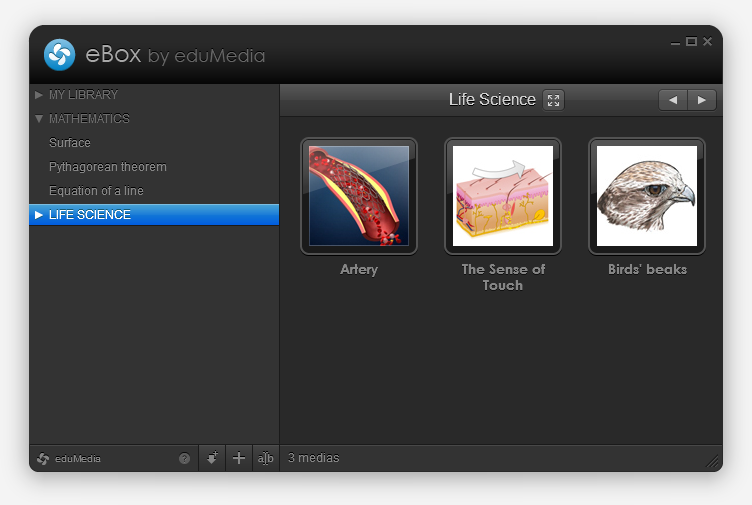
We cre­ate and dis­trib­ute ped­a­gog­i­cal sim­u­la­tions and videos, and our school users can down­load them to pre­pare and illus­trate their lessons. Until now we offered server-side gen­er­ated ZIP files with an HTML, some CSS and the SWF, but users (who often are not com­puter geeks) wanted some­thing sim­pler and more pow­er­ful… So we designed the eBox!

The eBox

Basi­cally the eBox is an empty media library wait­ing to be filled. The first time you launch it, it installs itself (and the AIR run­time, if not already there) and then fills itself with the medias you chose. This hap­pens thanks to AIR’s Browser­In­voke logic and removes the “Save As” and “Uncom­press” steps.

You can also fill it with “local medias” (of any type) but drag­ging and drop­ping files on it, or by brows­ing and select­ing them. If these medias are SWFs they’ll be opened within the app, if not the OS will open them with their default app. Handy.

You also have the abil­ity to cre­ate direc­to­ries to orga­nize your library, and to reorder medias (via drag and drop). Pretty com­mon, but cool.

Let’s talk tech

Flex 4.1, local­ized with Lupo (now free and Open­Source!) and designed with Illus­tra­tor. Server-side com­mu­ni­ca­tion is made through AMFPHP. I used some tiny tech­niques that helped deploy two dif­fer­ent ver­sions with only one project (we have a school and an indi­vid­ual ver­sion), I might detail that in a next post.

This is my first real-life project with Robot­legs, it helped me learn how to use it and how to write really clean code; with view, medi­a­tors and all. I loved it and think I will con­tinue build­ing big projects with RLs, makes you feel pretty.

So?

I’m pretty happy with the final result (not that final, expect updates!), both on visual and tech­ni­cal points of view. Go grab a free media and tell me what you think! We also set up a spe­cial page with a nice pre­sen­ta­tion of how it works, in case you’re lost.